Monday, 28 December 2015

GetRight: Compact but fitted with all the necessary download features

GetRight downloader
GetRight helps users with an unreliable internet connection continue their downloads where they left off, instead of having to start over from the beginning. Sometimes downloads can take hours, and having to restart from the beginning can be devastating. GetRight has automation tools to let you turn off your computer when downloads are done, saving you on your power bill. The app quickly hunts for items on the webpage for you to download.

Free Download Manager: A free and solid all around download application

Free download manager
Free Download Manager works much the same as the other download managers, offering increased speeds and support for tons of download protocols like BitTorrent and FTP. This software is open source and available under the General Public License, meaning a community of developers can always improve it. The app even has a remote control feature that lets you view the list of active downloads from any computer.

Website Ripper Copier: Automatically download all content from a web page

Website Ripper Copier
Website Ripper Copier is unique in that it lets you download entire websites for offline browsing or archiving. WRC offers pop-up free browsing and speeds up general browsing as well. The app is paid, but you can download a free trial before you make the commitment.

WebZIP: Collect web content to browse offline

WebZIP
WebZIP is light on resources and basically runs on any computer. Save images, music, and other media files to keep for offline use. The app even downloads entire websites like Website Ripper Copier.

Download Accelerator Plus: Squeezes the best out of your Internet connection

Download Accelerator Plus interface
Download Accelerator Plus has a ton of cool features. You can watch a video while you're downloading instead of waiting for it to finish, and can convert videos into MP3 to be compatible with other devices.

Internet Download Manager: Works with all major browsers

Internet Download Manager interface
Internet Download Manager has been around for a long time, but it's still being supported for modern operating systems. The app works with Windows 8.1 and all the major web browsers. Beyond offering faster downloads an an interface to manage them all, it can pick up on downloads when your connection gets interrupted.

Flashget: The fastest of all download managers

FlashGet download manager
FlashGet promises download speeds of six to ten times faster than downloading normally through a browser. The program supports basically every download protocol including HTTP, FTP and MMS. This is one of our highest rated download managers, so check it out.

Fast Video Downloader

An excellent and fast video downloader, with 500% downloading speed

Fast video downloader is a free and tremendously high-speed downloader included for speed up to 500% than competitors. It can download videos from Bing, Vimeo, DailyMotion, Metacafe, Facebook, Worldfloat, Veoh, Break, CollegeHumor, EHow, Imdb, Academicearth, Bliptv, Blinkx, Yahoo, Flickr, Adobe, Zerodollarmovies and many more video streaming sites. This video downloader now-a-days supports more sites and explains downloads process. Using this downloader, user can convert their video files to IPods, psp, iPhone, Android device compatible formats. It can also convert videos to 3gp and avi format.
Fast Video Downloader is very simple to use and user responsive application. This application applies fast on the downloading speed of the video f
Fast video downloader now support downloading from adobe and playlist.
Fast Video Downloader application is very easy to use.
Three easy step to download video:
1. Search Video : You can search videos from multiple sites.
2. Copy Video Link: Software automatically paste url's which you copied.
3. Download Video: Click on "Download" button then start download videos.
You can download one or more videos simultaneously.
Now You can convert your videos to Iphone, Ipad, Ipod, Android, psp device compatible format with Fast VD
Free DownloadFast Video Downloader

Download Accelerator Plus DAP10 Fastest Free Download Manager

Convert Videos to Any Format
  • Convert your video files to MP3, MOV, AVI, WAV or any other format.
  • Easily convert YouTube and other web videos to any music or audio format with just one click.
  • Get the fastest conversion speed.
  • Converting your video files is absoutely FREE.

DAP Video Convert Feature

Free - Speed up PC 3X Faster


Description

The most annoying thing when you work on your computer might be when it crashes down in the middle of a game, a movie playing or an ongoing important task. This can happen to anyone, whether your computer presents failures or not. And do tackle this kind of problem, a booster program use like Free - Speed up PC 3X Faster is always required. 


ree - Speed up PC 3X Faster

 37 votes, 4.4/5 
Editor:
 
Release:
 
4.75 (latest version)
 Windows 95, Windows 98, Windows Me, Windows XP, Windows 2000, English


Key features

As its names suggests, Speed up PC 3X Faster's purpose is not hard to guess. It makes your computer run up to 3 times faster than its normal performance. One of the included features, namely Windows Optimizer, contributes significantly to this running enhancement. Indeed, it is meant to increase Operating System speed, to launch quickly an application and so forth. Apart from that, there is a feature, which aims specially at boosting available memory. It provides also the ability to prevent main memory losses and to retrieve wasted main memory as well, in order to optimize and to give your Computer some brand new life. To complete its functions, Free - Speed up PC 3X Faster comes with an Internet Clean Up tool. The application brings a helpful feature since it deletes all needless internet-related items such cookies, cache and history files that slows down your computer. 

System requirements

  • Operating System: Windows 95, 98, Me, 2000, XP
  • Required Space disk: 1MB

Monday, 7 December 2015

Go!Zilla Downloader


Go!Zilla improves your internet downloading speed on full tilt, Go!Zilla download manager and download accelerator software is for Windows. Here are some key features by Go!Zilla Software:
Key Features
  • You can see what files are in progress and what files have finished
  • Get a file from several servers at once for faster download speeds
  • Resume previous downloads file if your internet had lost connections, crashes, reboots, last time
  • Works within your web browser to make downloading simple
  • Quickly grab batches of files from a web site, ftp server, or even a podcast
  • Includes download technology used by millions of people all over the world to download Billions of files
  • Supports HTTP, FTP, BitTorrent, HTTPS, FTPS protocols; and all major web browsers
  • Works with any Internet connection: modem, Wireless, DSL, Cable or anything else.

FreeRapid Downloader


FreeRapid Downloader is available for windows, Linux, MacOS, etc. Stop bearing the default lazy downloading and try something unique. It’s a Java based downloader and aims to download things from Rapidshare, Facebook, Youtube, and other file-sharing services. FreeRapid Downloader lets you add specific links to download by simply adding the link in this software’s add URL option.


Orbit Downloader


Orbit Downloader is really a great download manager, it aims to download video/music/files from the most popular social media sites like Myspace, YouTube, Imeem, Pandora, Rapidshare, etc. It makes the general downloading even easier, faster and safer to all. Some of the great key features by Orbit Downloader:
Key Features
  • Download files easily from a webpage
  • Download music, video and streaming media from social media sites
  • Fast acceleration to download
  • Supports RapidShare download
  • Supports all major browsers
  • Supports Metalink to target a download
  • Supports HTTP, HTTPS, MMS, FTP, RTSP and RTMP protocols
  • Proxy server configuration is available
  • Support download pause and resume
  • General download management

JDownloader


JDownloader is an open-source free software for downloading things from the internet, it has a huge list of developers who work on JDownloader and make the downloads as faster as they should be. Same like Internet Download Manager you can start, pause, resume, and stop downloads. You can also schedule your downloads and can save bandwidth if you uses a limited internet device. It makes the downloads up to 10% faster and saves your precious time.
Jdownloader logo

Tuesday, 6 October 2015

The Best Alternative to 1-Click YouTube Video Download

1-Click YouTube Video Download
In a world where everything is recorded or filmed, and millions of videos are watched online every minute, it is not a surprise that users are looking for solutions to download and save all the video content on their computers. The internet offers plenty solutions to download these videos, and one of the very popular ones is 1-Click YouTube Video Download. 1-Click YouTube Video Download is a free Firefox extension which lets you download any YouTube video in a click. It provides a fast and easy to grab YouTube to your computer.

Part 1. Why 1-Click YouTube Video Download Is Not Enough?

1-Click YouTube Video Download
1-Click YouTube Video Download is a cool, but it works like an add-on for your browser, which means is quite limited. Yes, you can download YouTube videos with it, but otherwise, it is not that useful. Let’s see why 1-Click YouTube Video Download is not the best option for you:
  • The program is an add-on for Mozilla Firefox and Internet Explorer; if you have any other browser, forget about it.
  • You can use it to download videos only from YouTube. For any other websites, you need another downloader.
  • It is simple to use, but it doesn’t offer any other features to its users.
  • 1 Click YouTube Downloader will download your favorite videos as FLV files, so you will need another program to convert them.

Part 2. What to Choose Instead of the 1 Click YouTube Downloader?

mac 1 click youtube downloader
After reading all the restrictions of the Click YouTube Downloader, probably you are wondering what program to choose. The internet offers almost unlimited possibilities and opportunities, but if you want to choose the best video downloader available, you should definitely try iSkysoft iTube Studio for Mac.
With iTube Studio you can download videos with only one click videos from more than 1.000 video sharing websites. Downloading and installing iTube Studio is easy, but downloading the videos is ever simpler. But iTube Studio offers many other cool features, like an incredibly fast downloading speed, the possibility to download batch of videos, an organizer for your videos, and even the possibility to convert them in 153 media formats. The program is compatible with Firefox, Safari and Chrome and works well with Mac 10.6 or later (including OS X 10.10 Yosemite).

Part 3. How to Download and Convert YouTube Videos on Mac

See how to download YouTube video with iSkysoft 1 Click YouTube Downloader step by step, and convert to play on Mac or portable devices.
What You Will Need:
A Computer;
iSkysoft iTube Studio for Mac
Time Required:
Around 3 mins (Variable depending on the video file size)
Difficulty:
Easy
1 click youtube downloader

Step 1. 1 Click to Download YouTube Video

After installing iSkysoft iTube Studio, a download button will be added to any YouTube video so you can download YouTube in one click. Like 1-Click YouTube Download, it supports Firefox in addition to Safari and Chrome. When you play the video you want to download, mouse over the video player and the Download button will appear at the top left corner of the video. Click it to start downloading YouTube to your computer.
Beside downloading YouTube by click, you can also use the Paste URL, or drag and drop the URL to the dock icon of iSkysoft YouTube Downloader to start downloading YouTube video.
1 click youtube downloader converting video

Step 2. Convert FLV Video to Other Formats

iSkysoft 1-Click YouTube Downloader also allows you to convert YouTube to any regular format like MP3, MP4, MOV, AVI, MPG, MKV, etc. To convert the downloaded YouTube video, go to Downloaded tab, and click the Convert button on the right of each video item. In the window that shows up, choose the format you want and Click OK to confirm.
Note that the download extension for Safari, Firefox and Chrome will be installed automatically when installation. Please go to the extension section of browser to make sure the existence of iTube Studio extension. If it doesn't exist, re-install the program or go to Preference to install. Also make sure it's enabled, otherwise, you will be failed to download video with this 1 Click YouTube Downloader.

1-Click YouTube Video Download 2.4.0.1-signed


Add-on screenshot #1

About this Add-on

by The 1-Click YouTube Video Download Team

The simplest YouTube Video Downloader for all YouTube Flash sites, period.


***********************************************
ADD-ON IS BACK ON!
More updates and features coming soon!
***********************************************

Download YouTube videos quickly and easily!
Supports all available YouTube formats (MP4, FLV, WebM, 3GP) for any video quality (from 144p up to 3072p).

How it works - It simply adds a "Download" button which populates a list with all the available videos to download.

To download a YouTube video - whenever you're on a video page in YouTube, you'll see the "Download" button with a round red icon in it, click that button to populate the list of all available formats to download, click the desired format, save to your hard drive and that's it!

This is an easy YouTube Video Downloader - If all you need is a simple, intuitive, and non-intrusive Add-On to download YouTube videos, this is the Add-On for you.

1-Click YouTube Video Downloader is a great Download Helper Tool and is a great combination with Video DownloadHelper , DownThemAll and FlashGot.

Soon you could Download YouTube videos directly from the search results of Google, Yahoo and Bing.

Reviews

Doesnt work Rated 1 out of 5 stars

Simple because after installing it doesn't even add a button on tool bar for downloading. Yes it shows that it is installed in the add on manager but no other indication that it is installed. If you cant activate it what good is it?

This is the sh*t! Rated 5 out of 5 stars

One that does not display advertising sh*t, does not try to scam you! It does what it says, and thank you for that!

annoying web page loading Rated 1 out of 5 stars

I was compelled to remove this add-on from my Firefox. Although it downloads Youtube videos well enough—as many other alternative add-ons can do, it kept loading its advertising web page at random times upon my startup of Firefox. Even though I disabled this add-on, that wasn't enough to stop it loading its annoying web page. I strongly recommend you use an alternative video downloading add-on. September 2015.

Developer Builds (Linux) One-Click Download Links

Extension meant for Developer Builds of Google Chrome 4.0+
One-Click Download Links – A Google Chrome Extension for downloading YouTube videos easily! Version 1.25, launched March 3, 2011 CURRENTLY SUPPORTS YOUTUBE ONLY, more popular video sites coming soon. I first launched version 1.0 to the public on July 23rd, 2010 and since then my extension has been used to download over FIVE MILLION YouTube […]
  • 1.25
  • blackcoil
  • Visit Website
  • Visit Website
  • Developer Builds
    Developer Builds (Linux)
    Beta Builds
    Stable Builds
  • 1 Star2 Stars3 Stars4 Stars5 Stars (73 votes, average: 4.33 out of 5)
  • 78808 times

Friday, 25 September 2015

Save YouTube videos in 1 click with new download button

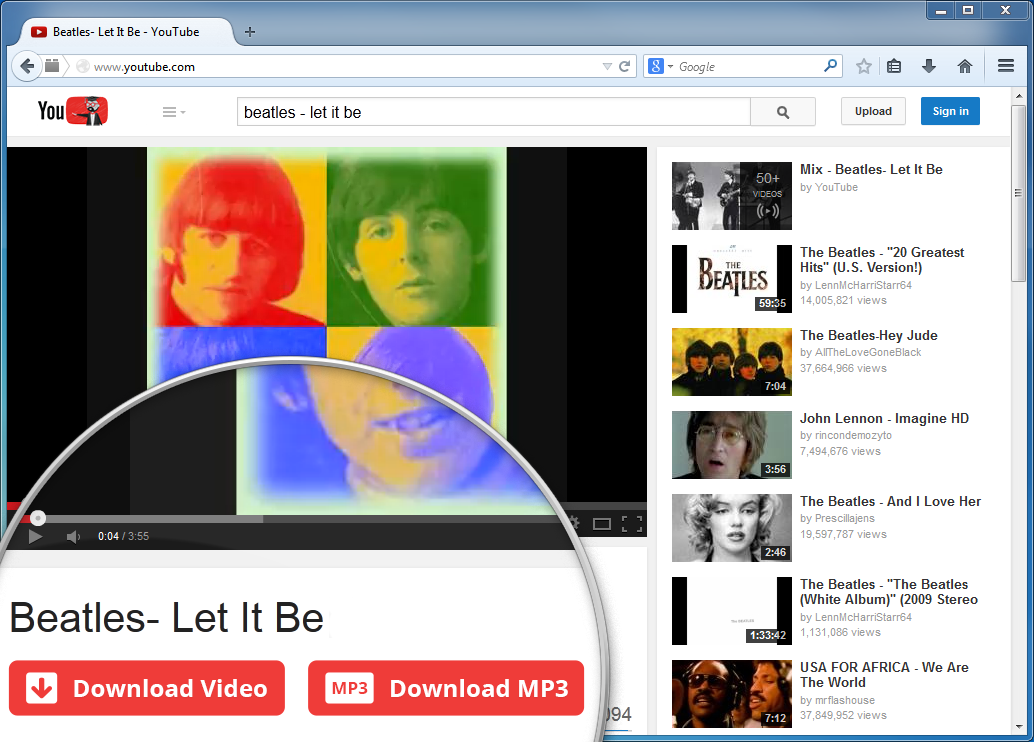
Freemake Video Downloader 3.2 improves the way to download YouTube video! Now it's possible to save videos and music straight from YouTube web page, as there appears a special "Download" button which starts the software with the video link already inserted. You may activate the one-click mode, so that the video downloader will save videos and MP3s automatically upon the click on the button or browser plugin.
YouTube Download Button
Freemake Video Downloader plugin is now available for Internet Explorer, as well as for Chrome and Firefox. Learn how to use it here.
We also enlarged the list of supported websites with popular Japanese and Chinese video portals: pandora.tv, pideo.net, himado.in.
Download Freemake Video Downloader 3.2 here

Best YouTube Video Downloader Add-ons on Firefox

youtube-video-downloader
There are a bunch of YouTube video downloader software available online either free or to buy, but why to buy if you can download YouTube videos online for free and easily.
YouTube video download is a very popular activity on the internet for many people. It is nice to have a personal library of favorite videos, and mp3 music so we can watch and listen to music at free time.
Some people prefer to add the video links to the social bookmarking sites, but the best idea is get videos downloaded locally on your drive. It is not only easy to find and you can build your own library of videos.

YouTube Video Downloader on Firefox

There are many YouTube video downloader tools are available, but they are not easy to use. The best way to have a free YouTube video downloader add-on on your Firefox. It has a plenty of free Add-Ons which you can just plug-in and use it.
Tip: Do you know how to add Google as your default Search Engine in Firefox ?
If you are already using Firefox, it is very easy to install these YouTube video downloader add-ons, if not you can download from Mozilla website.
Download Firefox from here: Download Firefox

Why to Use YouTube video downloader Add-Ons?

The best part of using these YouTube video downloader Firefox add-ons is, these are free and ready to use without worrying about free trials, or to buy or not and other licensing headaches .
5 benefits of using YouTube video downloader add-ons on Firefox:
  • No hassle of downloading untrusted software
  • No Copy, Paste  Drag, Drop links
  • Easily convert to different video formats
  • Fast and easy to download
  • Automatic Updates

Top 10 YouTube Video Downloaders on Firefox:

Following is the list of top YouTube video downloader add-ons you can just plugin to Firefox and download your favorite YouTube videos. Some of them are marked “No Restart” category, means you don’t have to restart Firefox after installing the plugin.
Though my favorite YouTube video downloaders are Video Download Helper, and Flash Video Downloader, I personally like the Flash Video Downloader, as it nicely places a download button just below the YouTube video. So it is convenient to download video right away.

Caution : Before installing in the Add-Ons:

You can try any of the above listed YouTube video downloader add-ons, but remember not to overuse all of these.
Visit the specific page from the above list and read the reviews and choose which one is most suitable to your needs.

How does FLVTO Addon Work?


Firefox YouTube Downloader plugin and Chrome YouTube Downloader plugin which will be inserted in your browser give you a handy option of fast conversion on any YouTube page. All you need to do is to click "Convert to MP3" straight at the page of the required video. Fast and simple!

Download add-ons for browsers

Download add-ons for browsers

Download add-ons for browsers


Size: 3.85 MB, Version: 4.6.0.1126


Size: 4.02 MB, Version: 1.0.22.505


Not available
Follow us

ate special buttons into YouTube pages for direct download of YouTube videos. The buttons are added to the pages with videos, users' channels and playlists. This allows you to download complete playlists and channels with 1 click. 


Video Downloader Add-ons are available for the most popular browsers: Firefox and Internet Explorer. They contain no spyware or adware whatsoever; and they are 100% free and absolutely safe to install and run.

Google Chrome add-on isn't currently supported as it's contrary to Google policy.

Video Downloader Add-ons are downloaded and installed together with DVDVideoSoft YouTube downloading programs:

Easy Youtube Video Downloader For Opera

Show less
Permissions
  • This extension will access your data on all websites.
  • This extension will access your tabs and browsing activity.

Screenshots

  • Thumbnail for Easy Youtube Video Downloader For Opera
  •  
  • Thumbnail for Easy Youtube Video Downloader For Opera screenshot
  •  
  • Thumbnail for Easy Youtube Video Downloader For Opera screenshot
  •  
  • Thumbnail for Easy Youtube Video Downloader For Opera screenshot

Popular Posts

Powered by Blogger.